

Field Service ManagementThat Actually Works
End the messenger chaos. See your field team in real-time. Get jobs done right the first time.
Web app is live now • Mobile app demo by request
- iOS & Android Apps
- QuickBooks Integration
- Multi-Tenant Architecture
- Works Offline
Real MokuField screens
Two product surfaces for one field-service operation
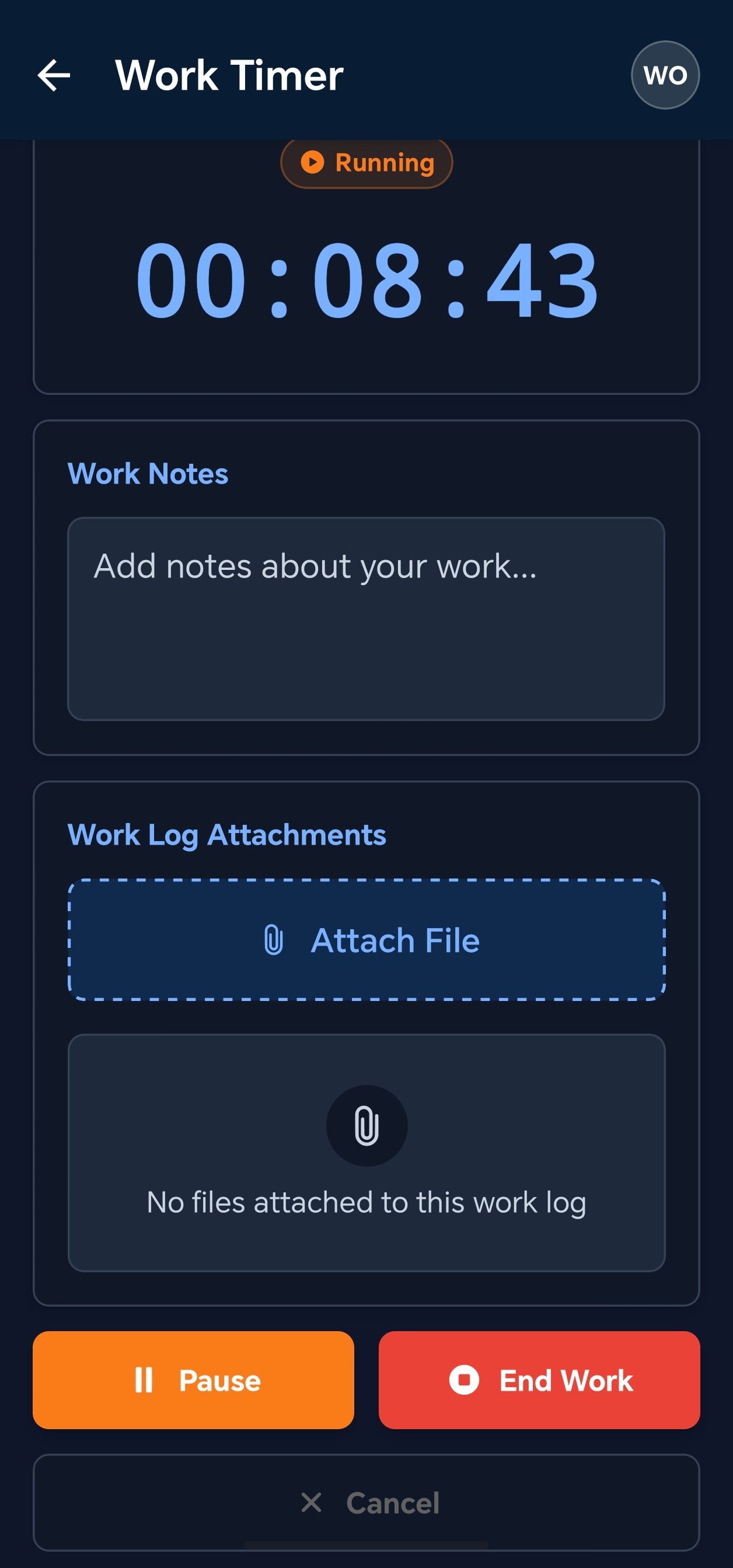
Dispatchers and managers run operations in the web/admin application. Technicians execute the work in the mobile field-worker app, including offline work, attachments, work logs, timers, and route details.
Web/admin application
Control the operation from the office
The web/admin surface is for dispatch, operations visibility, customer and site data, work-order administration, location history, and team management.
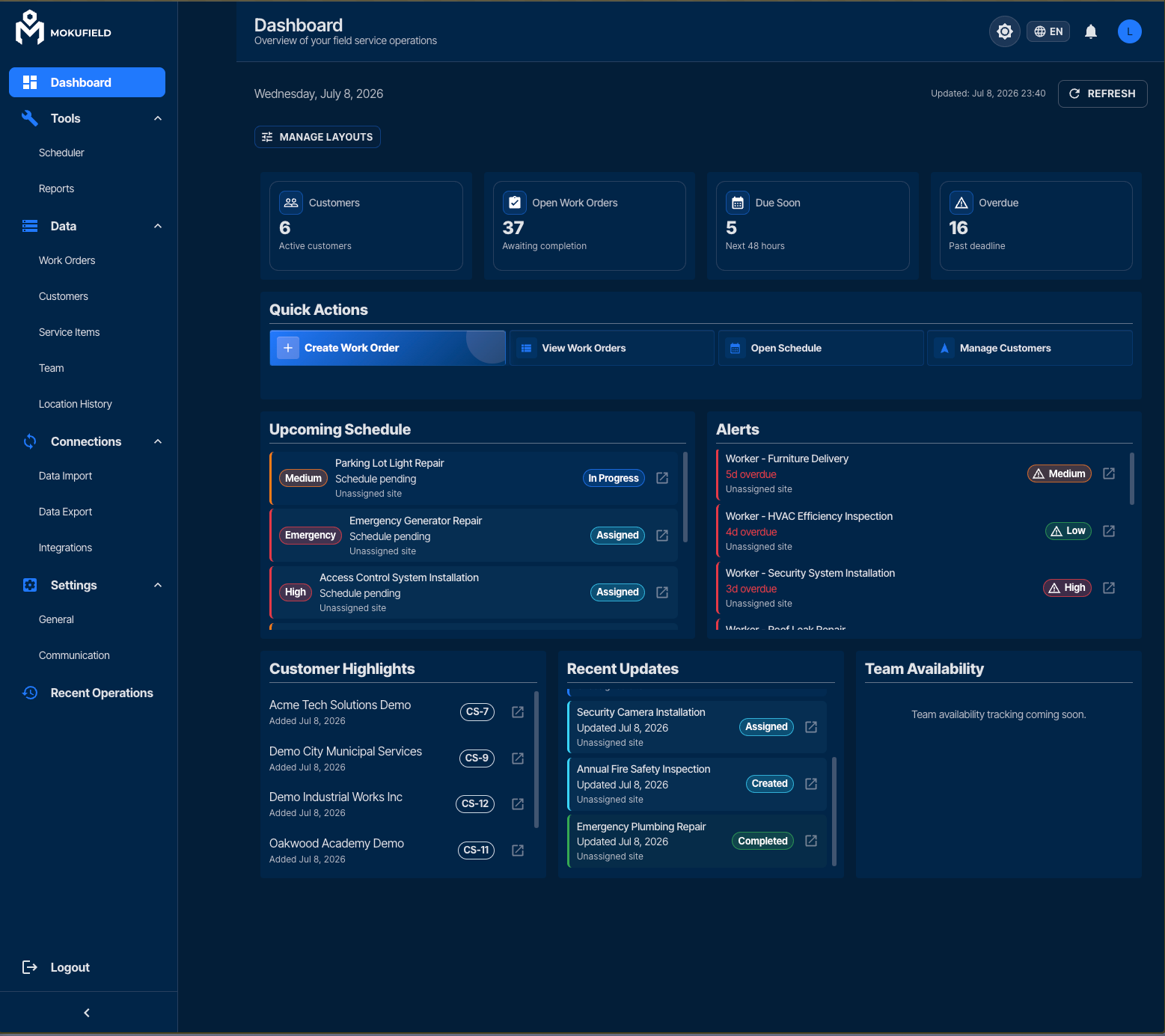
Operations dashboard with live workload, alerts, and customer highlights.
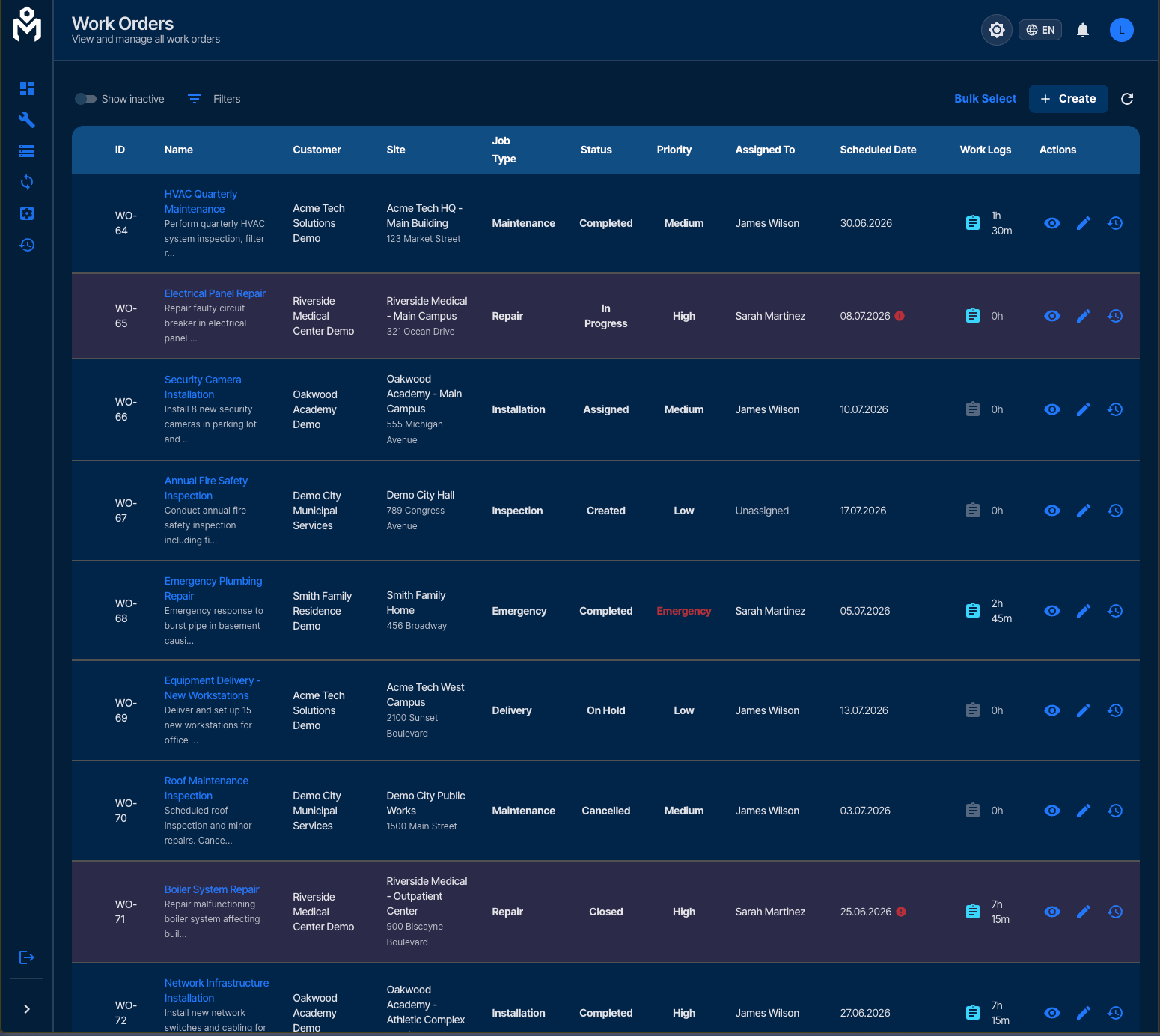
Admin work-order workflows with statuses, priorities, assignments, dates, and work logs.
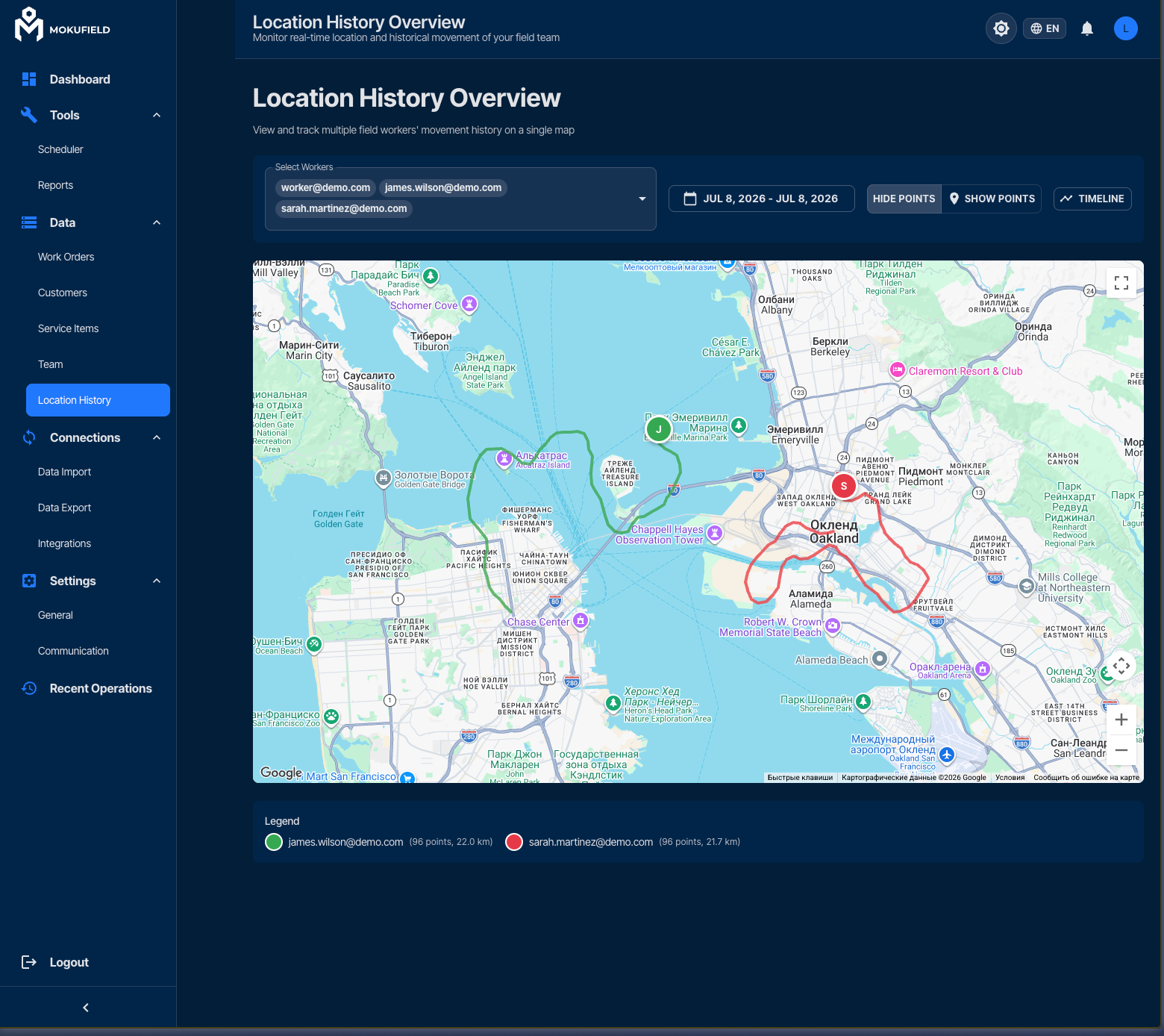
Location history for field-team movement visibility and route review.
Operations dashboard1/3
Mobile field-worker application
Guide technicians through the job on site
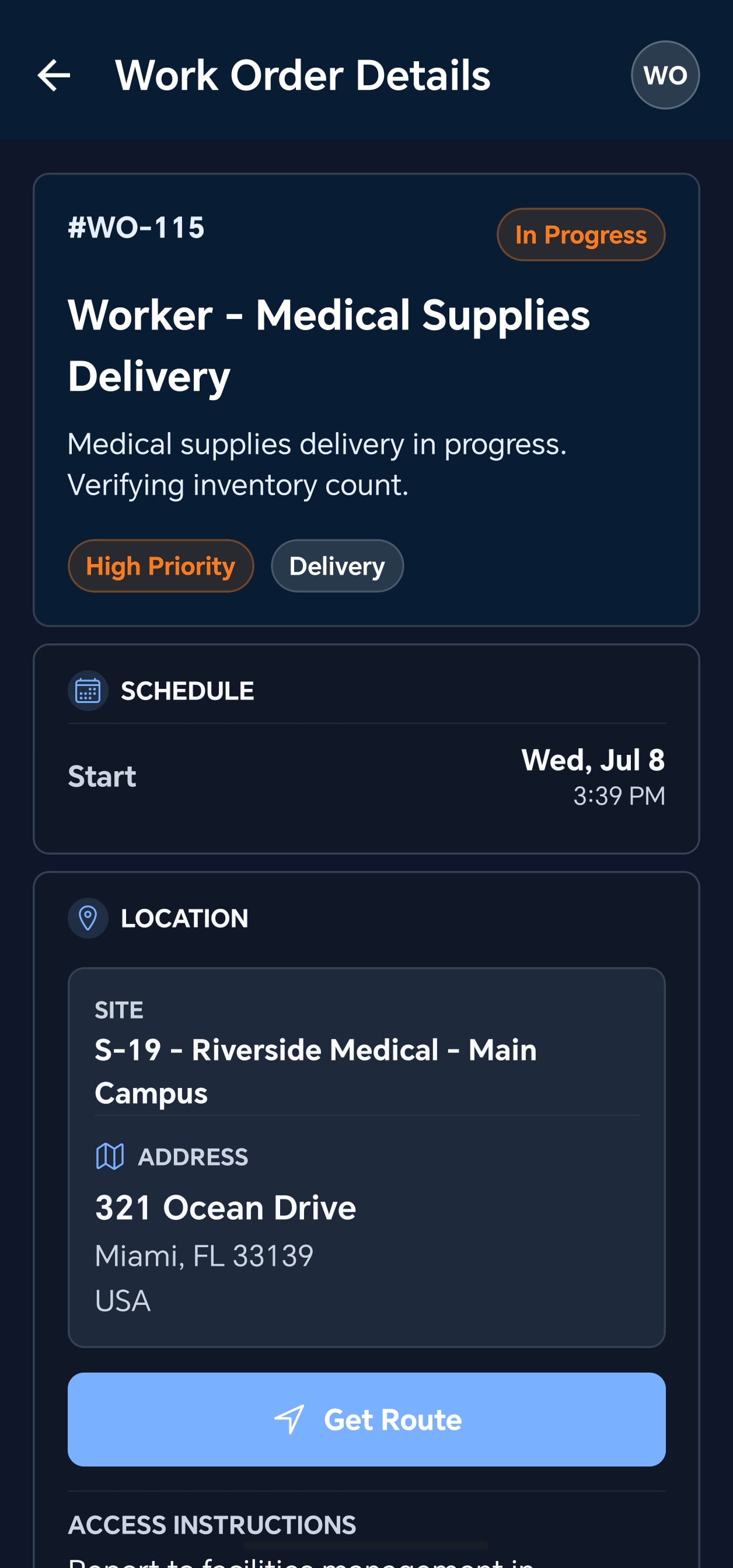
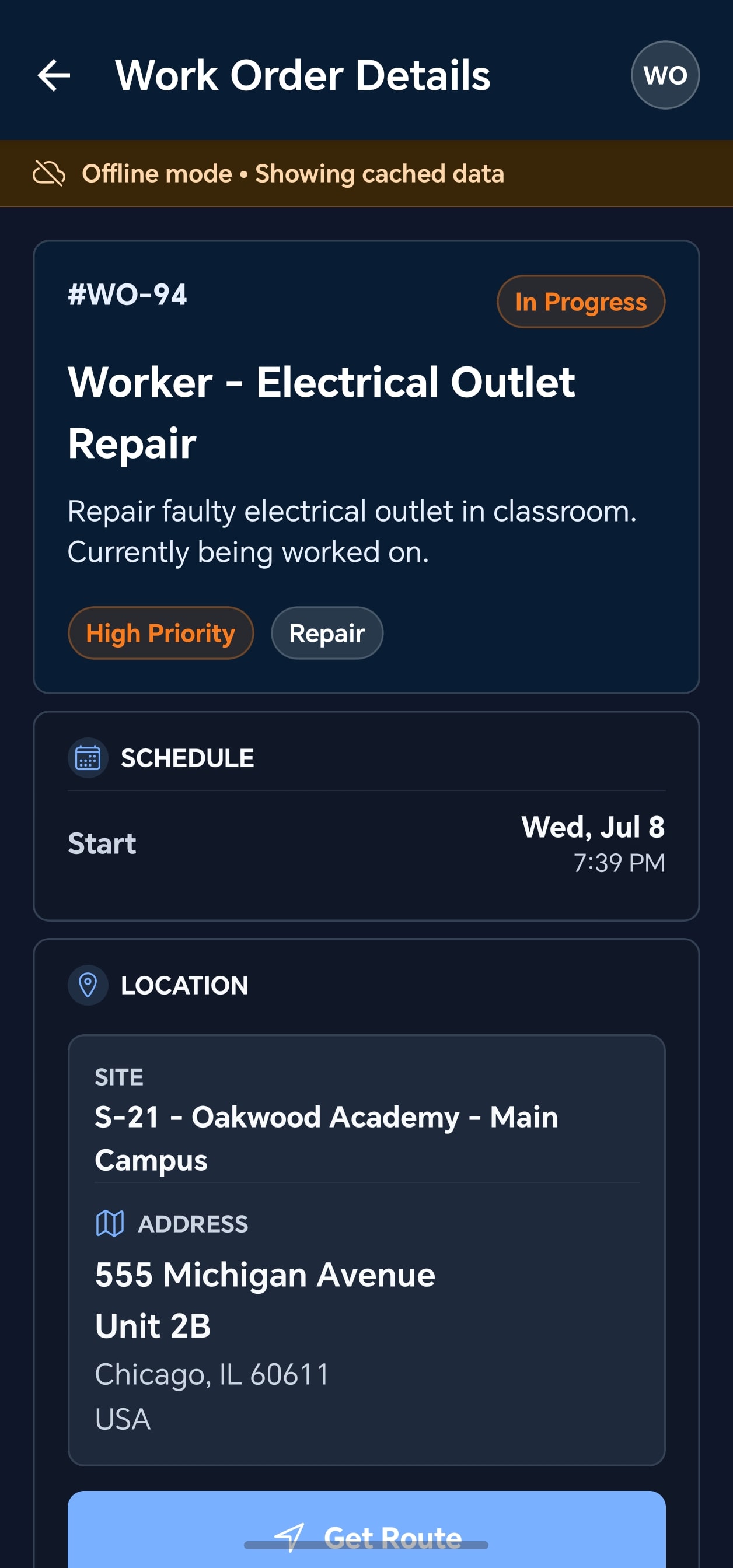
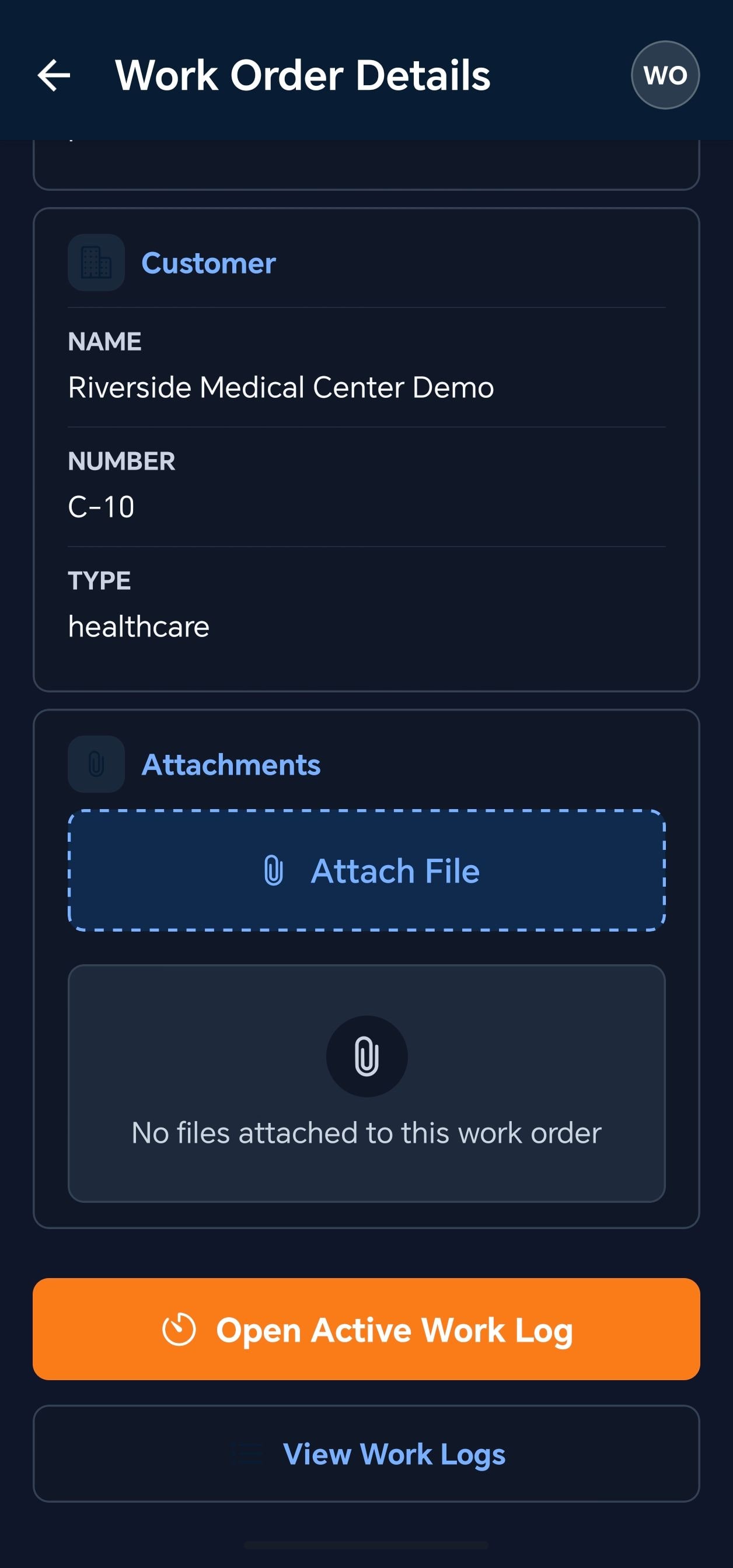
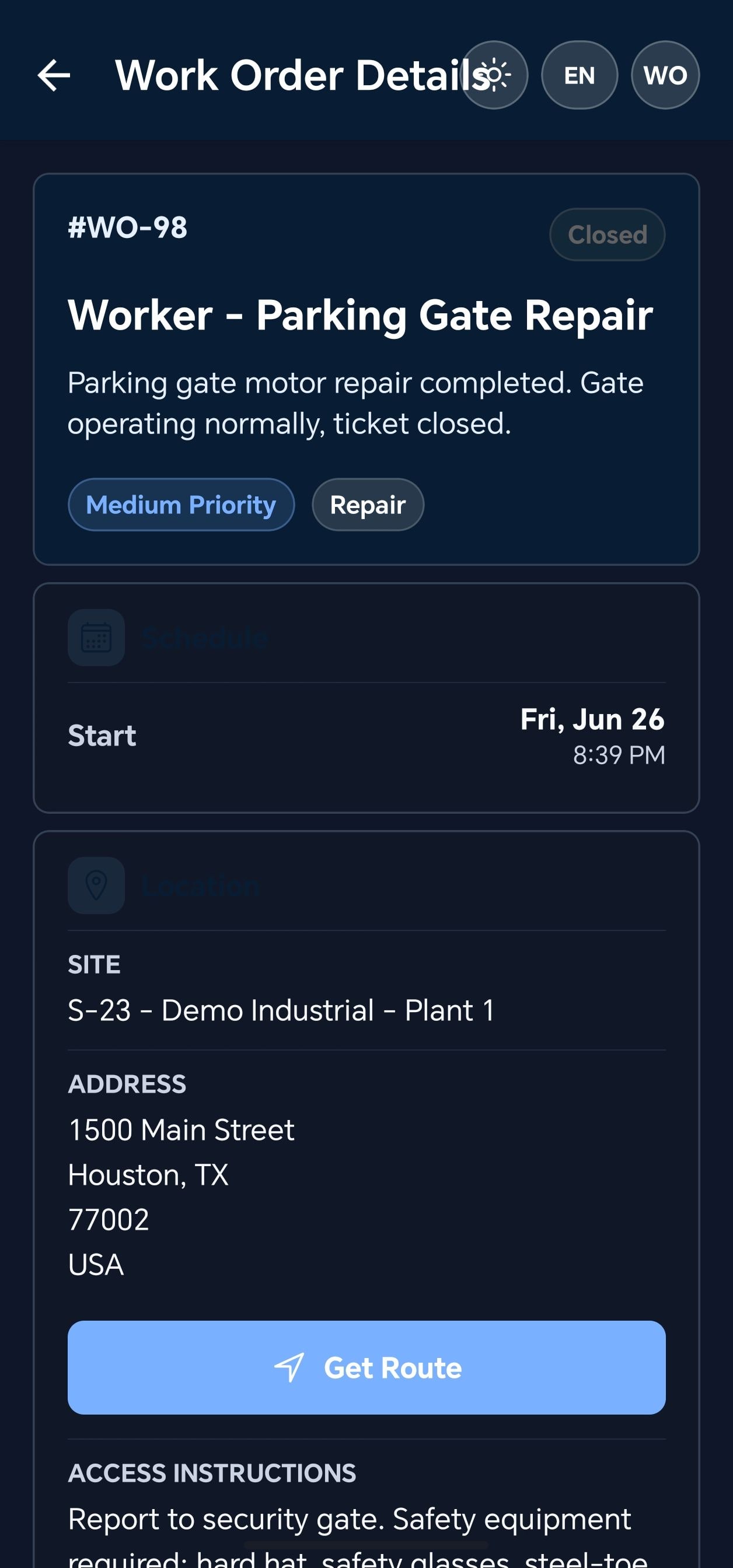
The mobile surface is for field execution: assigned work orders, route and site details, cached offline data, work logs, attachments, timers, and app settings.
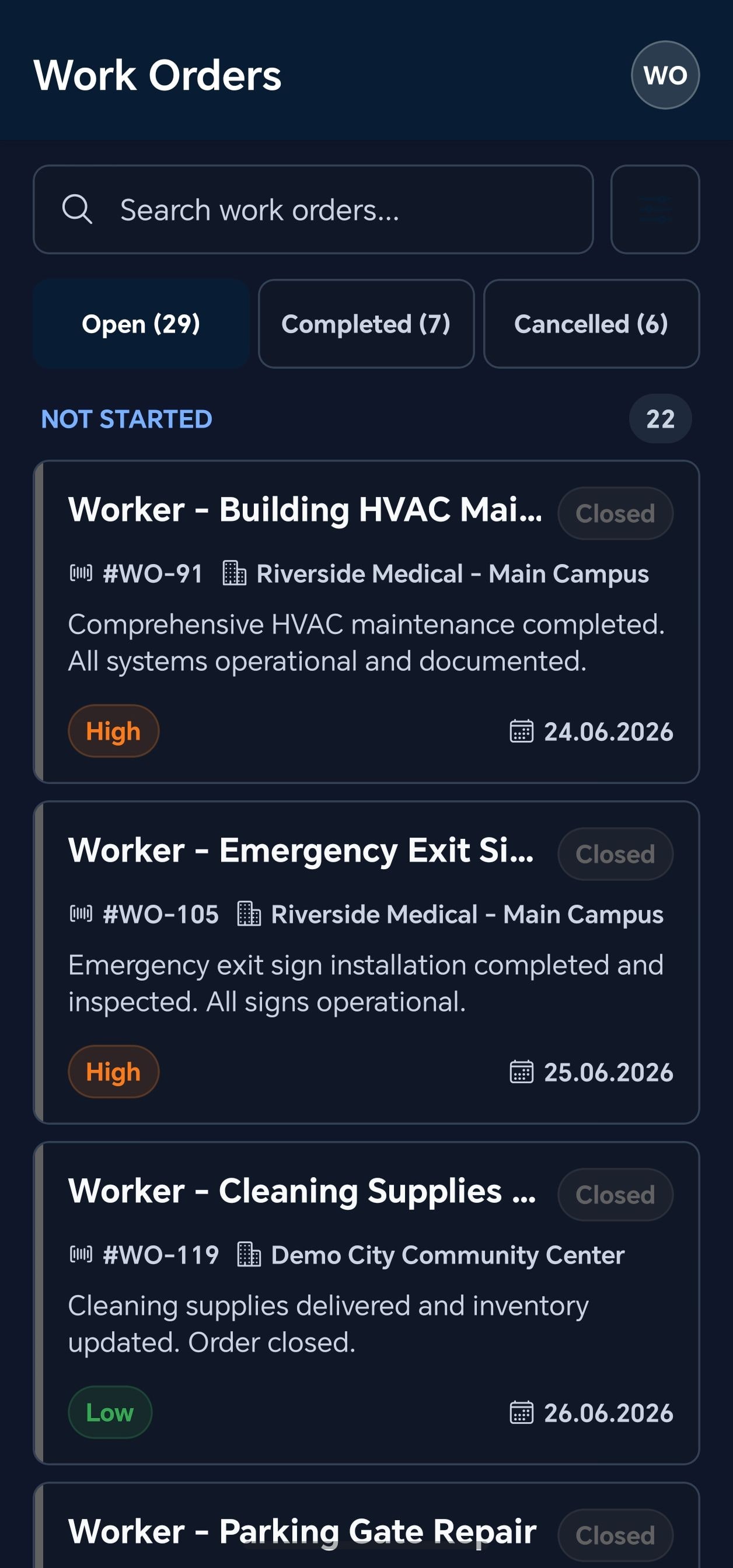
Technicians see assigned work orders, priorities, site details, and route actions.
Offline state keeps cached work-order data available when coverage drops.
Attachments, notes, photos, work logs, timers, and completion actions stay in the field flow.
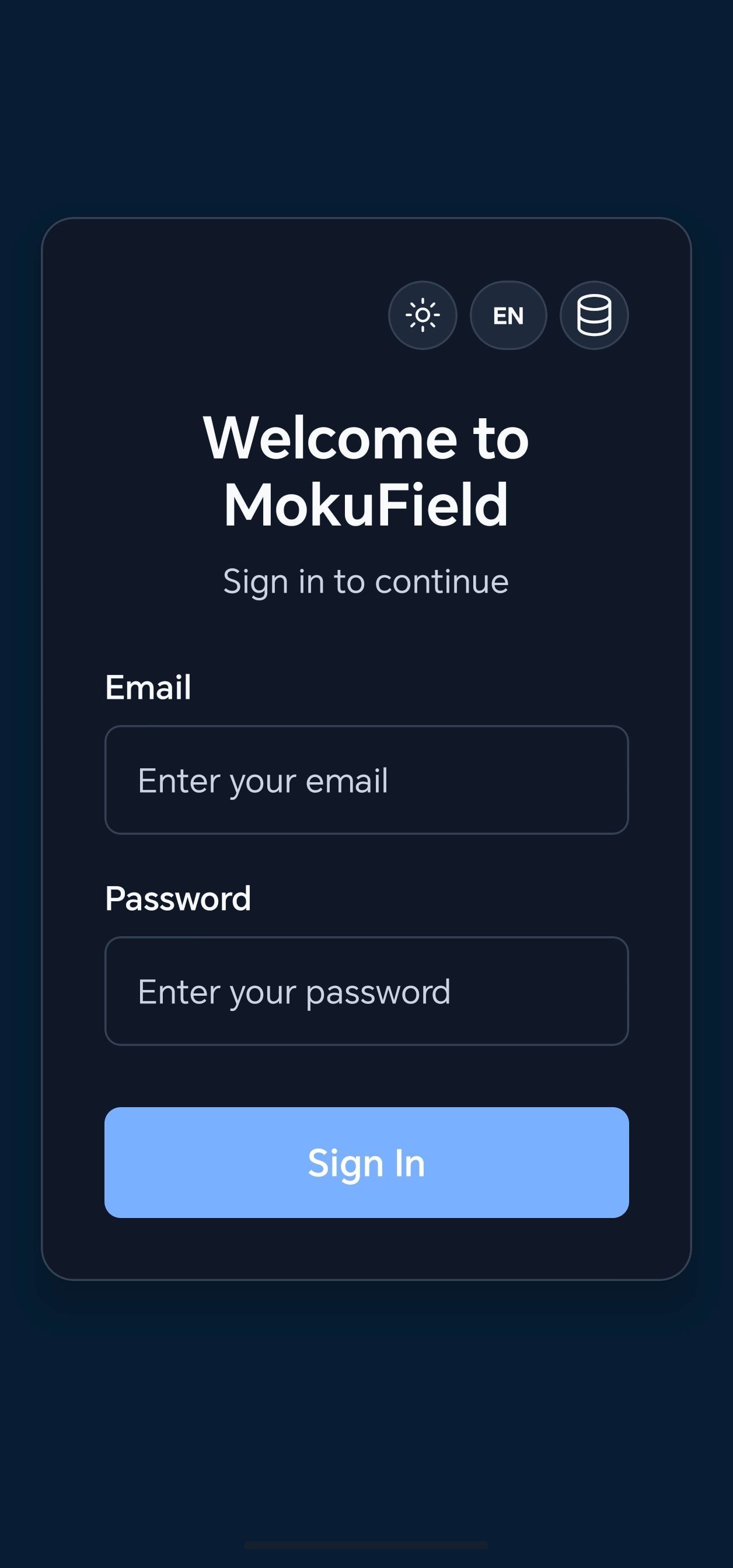
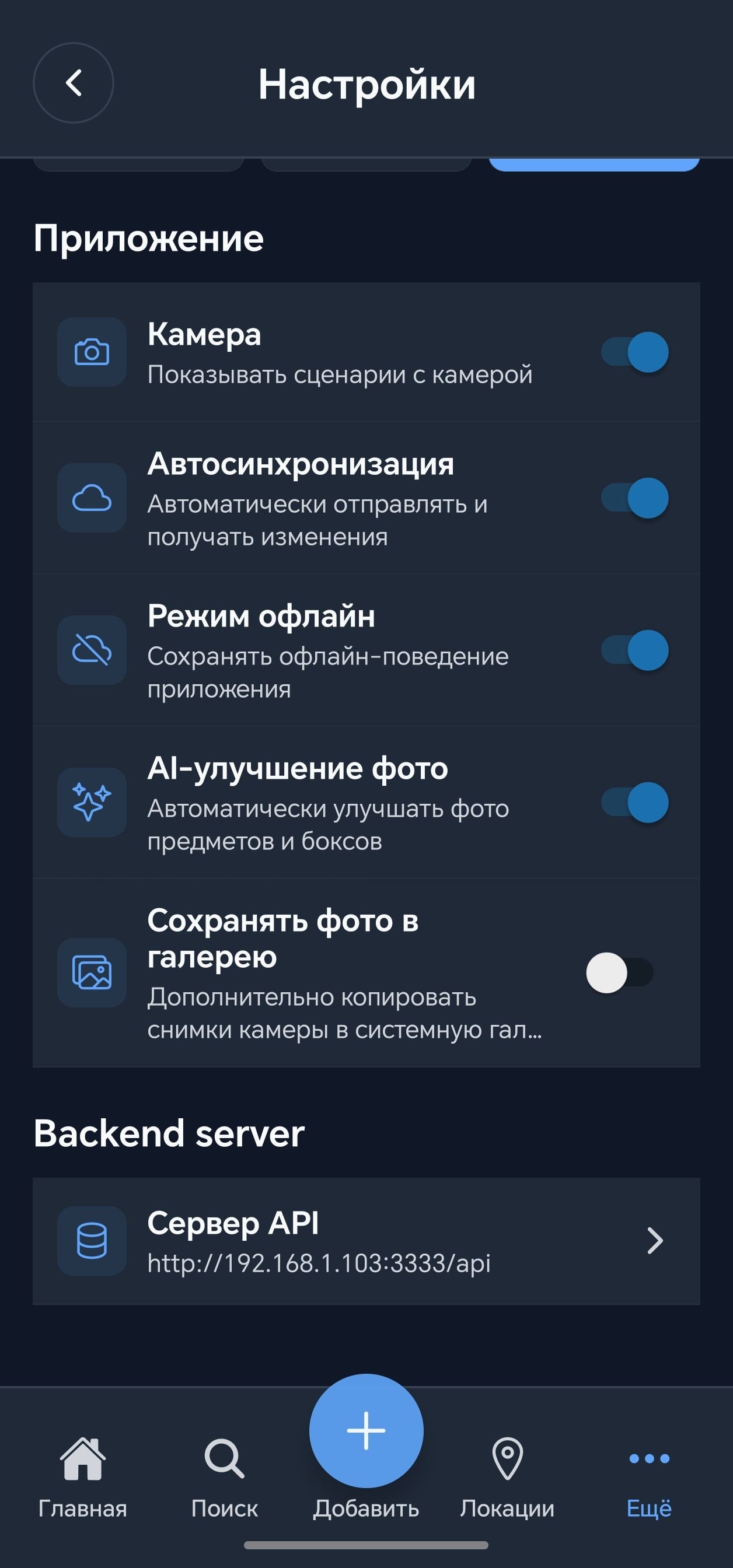
Theme, language, and backend controls are available in the mobile app settings.
Work-order list1/8
Sound Familiar?
These problems cost field service companies thousands every month
Messenger Chaos
Scheduling through WhatsApp, Telegram, or text messages creates delays and errors. Jobs get lost in chat threads.
Zero Visibility
You don't know where technicians are, what they're working on, or when they'll reach the next job.
Incomplete Information
Technicians arrive at sites without full context - equipment history, access codes, past issues.
Can't Scale
Adding more technicians means more chaos. Your coordination system breaks before your team does.
There's a better way.
Why Teams Switch to MokuField
Save Hours Every Day
Stop coordinating through phone calls and messages. Assign jobs in seconds, track progress automatically, and eliminate scheduling conflicts.
Eliminate Double Entry
QuickBooks integration syncs customers, sites, and work data automatically. No more copying between spreadsheets and accounting software.
Scale Without Chaos
From 5 technicians to 500 - multi-tenant architecture grows with your business. Separate workspaces per region, unified management.
Enterprise Security, SMB Pricing
Each organization's data is isolated in its own database schema.
Security · Public overview
MokuField - Tenant Isolation Architecture
Each company works inside its own tenant. MokuField resolves the signed-in user's organization before opening operational data. Work orders, customers, roles, files, exports, and audit history stay inside that protected workspace.
1. A team member signs in
MokuField identifies which organization this user belongs to.
2. Tenant context is resolved
The organization id is attached before work orders, customers, files, or reports are opened.
3. Role permissions are checked
Owners, managers, dispatchers, and technicians only see what their role allows inside that workspace.
4. Data stays inside your workspace
Jobs, customers, technician activity, files, exports, and audit history remain organization-scoped.
Other organizations are outside the boundary
Their people, records, files, and reports live in separate tenants and are blocked from this workspace.
How tenant isolation works / numbered request flow
User signs in. MokuField identifies the member and their organization.
Tenant is selected. The organization context is attached before data access.
Workspace opens. Only records belonging to that tenant are available.
Services stay scoped. APIs, audit events, exports, and reports carry tenant filters.
Data operations remain inside. Reads, writes, attachments, and exports stay organization-scoped.
Other tenants are blocked. Separate companies and regional workspaces cannot mix records.
What this means for customers / plain-English guarantees
Everything You Need to Scale Your Operations
Comprehensive features designed specifically for growing field service businesses.
Visual Gantt Scheduling
Drag-and-drop work orders onto technician timelines. See conflicts instantly. Manage workloads visually.
- Drag-and-drop interface
- Automatic conflict detection
- Team workload visualization
- Priority-based scheduling
Mobile App for Field Teams
iOS and Android apps keep technicians connected. View assignments, update status, track time, capture photos - even offline.
- iOS & Android native apps
- Offline mode support
- Built-in time tracking
- Photo documentation
- Push notifications
QuickBooks Integration
Bidirectional sync with QuickBooks Online. Customers, sites, and work data flow automatically.
- Two-way customer sync
- Site/sub-customer mapping
- OAuth 2.0 secure connection
- Conflict resolution built-in
Complete Work Order Management
Full lifecycle from creation to completion. Custom statuses, priorities, job types.
- Custom work order types
- Priority levels
- Status workflow automation
- Full audit trail
Reports & Analytics
Built-in reports for customer health, technician utilization, and work order summaries.
- Customer work order reports
- Technician utilization tracking
- Health scorecard analytics
- Scheduled report generation
Easy Data Import & Export
Import existing customers, sites, and work orders from CSV. Export your data anytime.
- CSV import wizard
- Export to CSV, Excel, JSON
- Automatic column mapping
- Duplicate detection
- Validation & error reporting
Live GPS Tracking
See where your technicians are in real-time on an interactive map.
- Real-time location tracking
- Google Maps integration
- Technician movement history
- Travel time visibility
Up and Running in a Day
No consultants. No 6-month implementations.
- 1
30 minutes
Import Your Data
Upload existing customers and sites from CSV. Our wizard maps your columns automatically.
- 2
1 hour
Configure Your Workflow
Set up work order types, priority levels, and custom statuses that match your business.
- 3
10 minutes
Connect QuickBooks
One-click OAuth connection to QuickBooks Online. Choose sync direction and frequency.
- 4
15 minutes
Deploy to Field
Technicians download the mobile app, log in, and start receiving work orders.
Most teams are fully operational within one business day
Need help? Our team provides email support and dedicated chat for all customers.
Built for Service Businesses
From 5 to 500+ field technicians
HVAC & Climate Control
Installation, maintenance, and emergency repairs
Electrical Services
Residential and commercial electrical work
Plumbing
Water systems, drainage, and fixtures
Solar Installation
Panel installation and maintenance
Interior Finishing
Drywall, painting, and renovation
Fire Safety
Alarms, sprinklers, compliance
Locksmith Services
Security and access management
Delivery & Logistics
Route-based delivery teams
Equipment Maintenance
Industrial equipment service
Facilities Management
Building and property management
Cleaning Services
Commercial and residential cleaning
Auto Services
Mobile mechanics and fleet maintenance
Right-Sized for Growth
5-20 technicians
Perfect starting point. Get organized before chaos sets in.
20-100 technicians
Sweet spot. Scale operations without scaling headcount.
100+ technicians
Enterprise-ready. Multi-region, multi-tenant, unlimited scale.
Trusted by Field Service Teams
“Before MokuField, we coordinated 40 technicians across two countries using spreadsheets and WhatsApp. Jobs got lost in chat threads, we couldn't see where anyone was, and scaling felt impossible. Now we have real visibility, automatic scheduling, and our QuickBooks stays in sync without manual entry.”
Enterprise Security
Schema-per-tenant data isolation
AWS Infrastructure
Scalable, reliable, globally distributed
Native Mobile Apps
iOS & Android with offline support
QuickBooks Integration
Official bidirectional sync
Simple, Transparent Pricing
Coming at official launch
What to expect
Pricing Available Soon
We're finalizing pricing tiers based on early adopter feedback. Join the waiting list to be first to know.
- Per-user monthly subscription
- No long-term contracts required
- All features included - no hidden tiers
- Volume discounts for larger teams
Early Access Program
Free access until official launch
Join now and get full platform access during our beta period.
- Direct line to product team
- Priority feature requests
- Guaranteed early adopter discount
Frequently Asked Questions
What's Coming Next
We ship fast. Here's what we're building.
Building Now3
Work Order Checklists
Custom checklists per work order type. Ensure technicians complete required steps before marking jobs done.
Site Service History
View complete work history at each site. Past work orders, time logs, notes - all in one place.
Russian Language
Full interface localization in Russian for our Eastern European and Central Asian customers.
Coming Soon3
Customer Portal
Let customers track their jobs, view service history, and request new work - without calling your office.
Team & Brigade Management
Organize technicians into crews, assign to service territories, manage under team leads.
Recurring Job Scheduling
Automatically generate work orders for maintenance contracts and recurring service agreements.
Planned3
Digital Signatures
Capture customer signatures on mobile devices for job completion proof and compliance.
Incident Reporting
Track injuries, damage, and safety incidents with structured reporting and flags.
Technician Start Location
Choose departure point for routing - home, warehouse, or previous job site.
On Our Radar5
Automated Dispatch
AI-powered job assignment based on technician skills, location, and availability.
Route Optimization
Minimize travel time with intelligent route planning across multiple jobs.
Multilingual Search
Search across Arabic, English, and Russian content with vector-powered results.
Invoicing & Payments
Generate invoices from completed work orders and accept payments in the field.
Inventory Management
Track parts and materials - what's in stock, what's on trucks, what needs reordering.
Don't see what you need?
We prioritize features based on customer feedback. Tell us what would make MokuField perfect for your business.
Ready to End the Chaos?
Start in the web app today, or ask us for a walkthrough of the mobile app.
- Enterprise-grade security
- Email & chat support included
- Up and running in one day
- Free until official launch
Request a MokuField mobile app demo
Try the web app now, or tell us about your field team and we'll arrange a mobile app walkthrough.
- 1
Tell us about your field team.
- 2
We reply to schedule a mobile app walkthrough.
- 3
Meanwhile, the web app is open to try.
Prefer email? sales@mokuhub.com